






Spin the Wheel A free random wheel generator for names, choices, teams, and more
Spin the wheel. Add your own entries or start with a ready-made wheel. ChoiceSpin picks one result at random in your browser. No account is required.
How to use ChoiceSpin
-
Add your entriesType or paste names, numbers, or any other options. Add one entry per line.Show me how
One option per line. Paste a whole list, or type a few choices to get started.
Go to my Entries -
Spin the wheelClick or tap the wheel. When it stops, read the winning entry.Show me how
Click the wheel to start. Wait for it to stop, then read the winning entry under the pointer.
Take me to the wheel -
Use the resultRemove the winner, spin again, or save the wheel for later.Explore a result
Example winnerAlexRead the winner, then spin again. Your recent winners are saved in the Results tab on this browser.
Open my Results
Useful wheel features
Start with a ready-made wheel
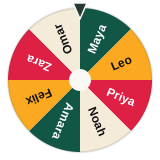 Wheel of Names Pick a random name from any list.
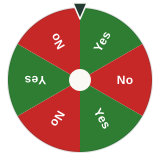 Yes or No Wheel Get a clear answer when you are stuck.
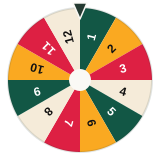 Random Number Wheel Choose a number from the range you set.
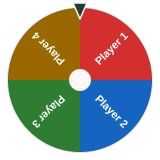 Random Team Generator Split a list into random teams of similar size.
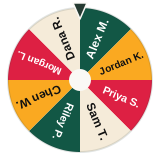 Giveaway Winner Picker Draw a winner where everyone can watch.
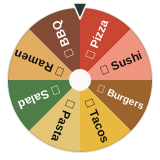 Food Wheel Let the wheel choose what to eat.
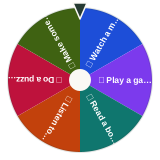 Decision Wheel Put several options on one wheel.
- Browse all wheels
What people use the wheel for
- Classroom Pick students, topics, groups, or turns without playing favorites.
- Giveaways Run a visible draw and keep each result in history.
- Teams Open Teams to group your whole class or roster at once.
- Meetings and workshops
Pick speakers or groups, choose a discussion topic, or decide the next task.
- Everyday decisions Choose what to eat, watch, play, or do next.
- Games Add quick randomness to party games and group activities.
- Streams Use fullscreen mode in OBS, Streamlabs, or a browser capture.
How ChoiceSpin picks a result
Only entries included in the spin can win. Equal weights give those entries equal chances. Duplicate entries count separately while Show Duplicates is on.
When the same entries are eligible to win and their weights stay the same, earlier results do not change the next spin's chances. ChoiceSpin is for everyday decisions, classrooms, games and giveaways. It is not a certified lottery system.
Saved wheels and recent results stay in this browser on this device. Downloaded .wheel files are separate backups.
Questions about the wheel
Is ChoiceSpin free?
Yes. ChoiceSpin is free to use. There is no paid plan.
Do I need an account?
No. You can create, spin, and save a wheel without signing up. Saved wheels stay in this browser on this device.
Is the wheel random?
Yes. ChoiceSpin picks from the entries included in the spin. Those entries have equal chances when their weights match. A name can win more than once.
Can names repeat?
Yes. Ordinary spins can repeat. Auto remove winner keeps at least two list entries, and duplicate names can still appear again. For a full round, open Rounds on a single local wheel. Each included, present roster row gets one turn; check names and absences before starting.
How many entries can I add?
You can paste up to 2,000 entries into one wheel. The first 1,000 are active by default. To include more, raise Entries Visible in Customize before you spin.
Can I save a wheel?
Yes. Save keeps a single wheel in My Wheels in this browser. Download a .wheel file if you want a backup you can open on another device.
Does it work on phones?
Yes. ChoiceSpin works in current phone, tablet, and desktop browsers, and the wheel controls adjust to smaller screens.